





A fast, focused browser.
No tab strip, no toolbar. The page gets the whole window, and your tabs live in a command center one keystroke away.
- Telemetry or analytics
- 0
- Keystroke to every tab you have open
- 1
- Palettes, or design your own
- 13
- Currencies converted as you type
- 31
Inside Browser
A closer look.
Private by default
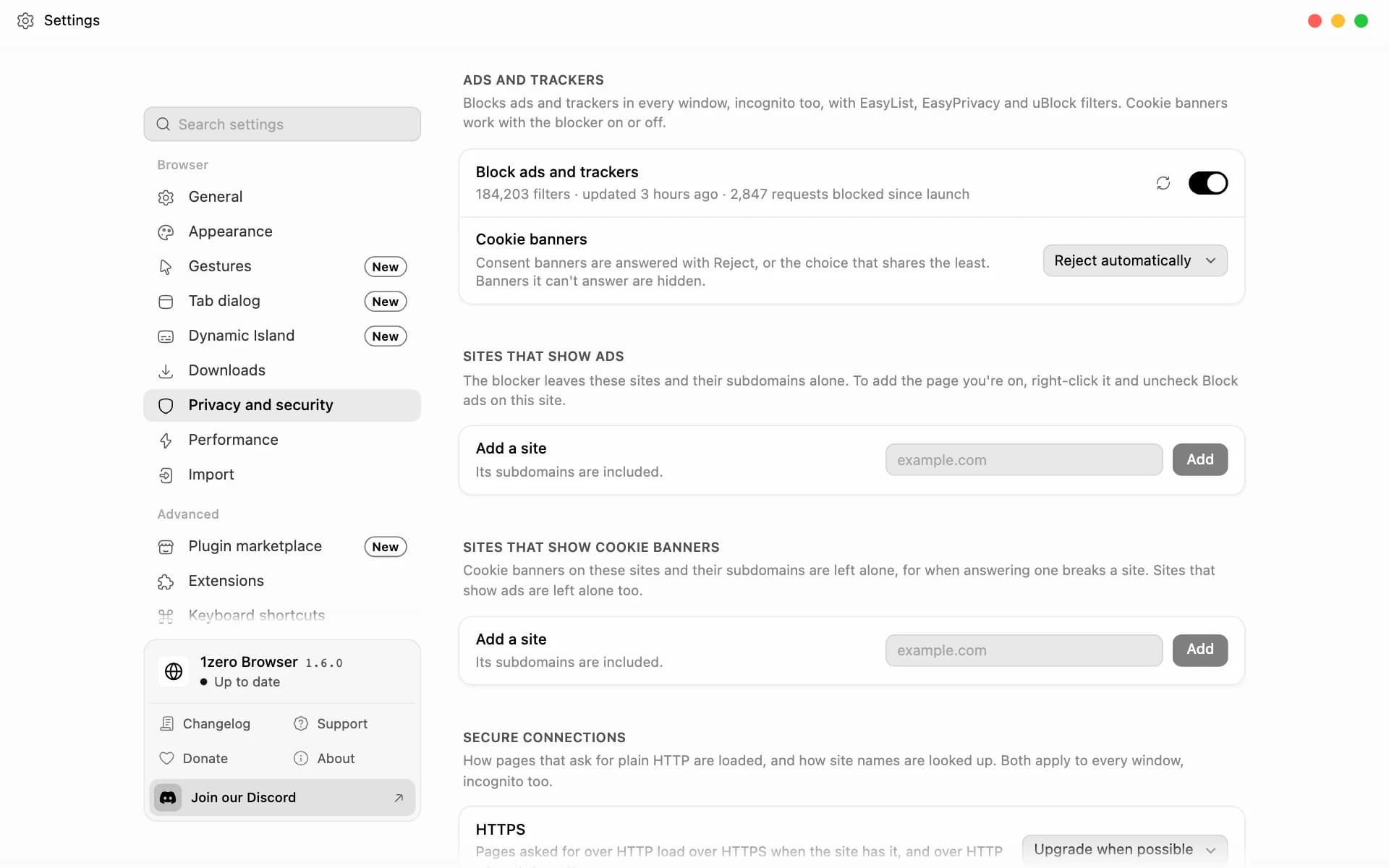
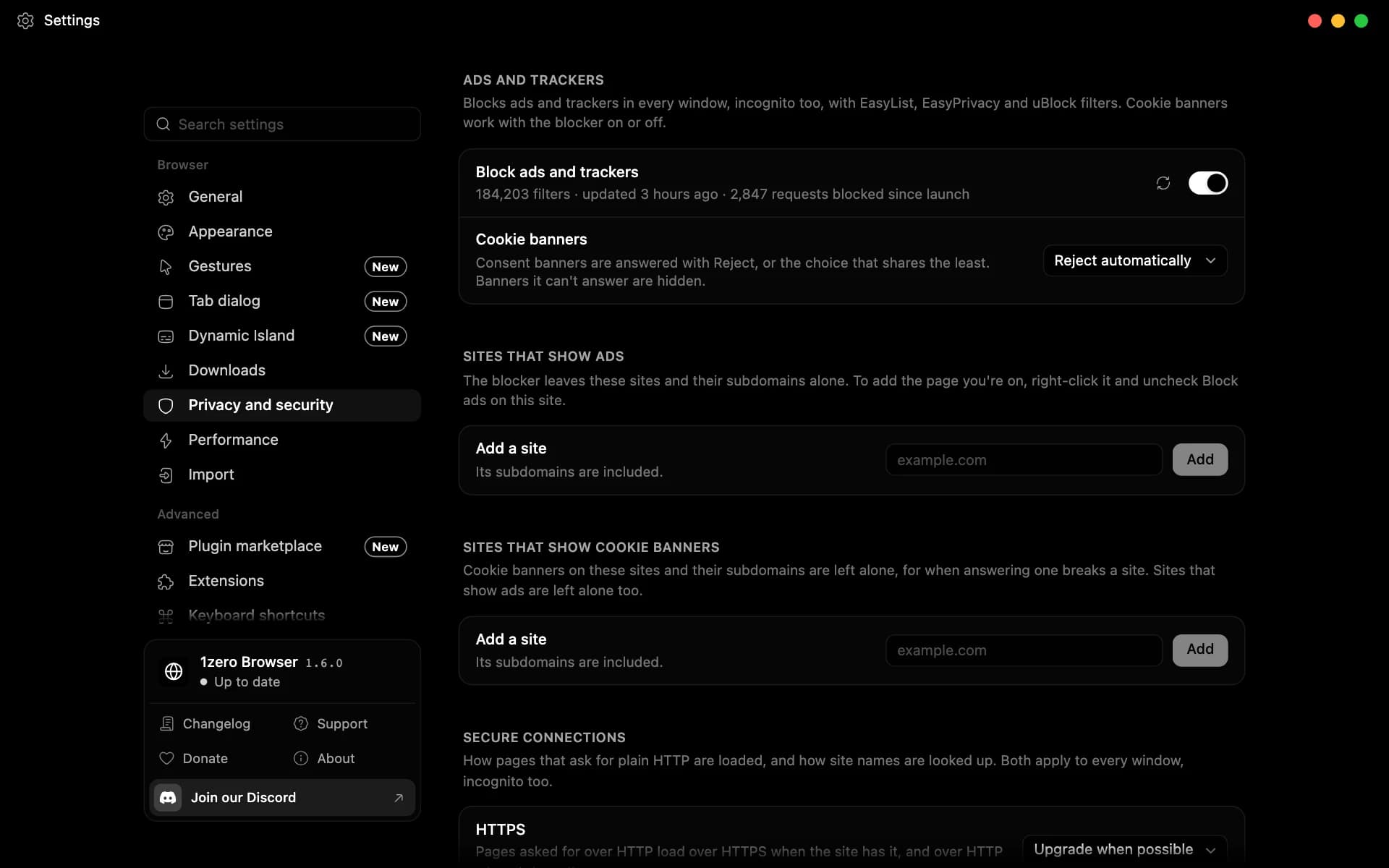
No telemetry, no analytics. Ads, trackers, and cookie banners are blocked out of the box, incognito included, with no extension to install.
- Filter lists from EasyList, EasyPrivacy, and uBlock, updated daily.
- Cookie banners are answered with Reject, or hidden when a site doesn't offer it.
- Let a site show ads with a right-click on the page.
- Pages load over HTTPS whenever the site has it, or turn on HTTPS only.
- Secure DNS encrypts lookups through Cloudflare, Google, Quad9, or NextDNS.
- Web search goes through 1zero's own search server, which never logs what you type.
Tabs as cards, not a strip
Your tabs live in the command center: a grid of live previews you can search, color, and drag into folders or split views. Open it with a shortcut, or shake the pointer.
- Drop a tab on another tab's edge to see both side by side.
- Folders nest as deep as you like, and the command center takes on an open folder's color.
- Hover a card that's playing to play, pause, or skip without opening it.
- Restart and every window comes back as you left it.
Peek at links
Long-press or Alt-click a link to open it over the page, then keep it or let it go without losing your place.
- Keep it as a tab, or open it in split view, without reloading.
- Press Esc or click outside it to close it.
- Right-click any link for Peek link.
- Links you point at start connecting early, so they open faster.


No chrome
Nothing between you and the page.
No tab strip and no toolbar. The page gets the whole window, and your tabs, history, and settings wait in the command center, one keystroke away.
A Dynamic Island in the titlebar
Music or video playing in another tab shows in the middle of the titlebar. Hover it to play, pause, skip, or seek.
- Timers, downloads, screenshots, and browser updates show there too.
- With plugins, so do the Spotify app, Gmail sign-in codes, food deliveries, and Focus mode.
- Loop, volume, and artwork, right in the island.
Fast, and easy on your battery
When your computer runs low on memory, tabs you haven't used in a while go to sleep. On battery, the energy saver goes further.
- Sleep every other tab with one press in the command center.
- The tab you're on and anything playing sound or in a video popup stay awake.
- A heavy background tab gets an alert, and right-clicking a tab shows its memory use.
- Energy saver sleeps tabs sooner, pauses ones out of sight, and stops preloading and animations.
- Turn it on when unplugged, when the battery runs low, or always.
Screenshots and page tools
Take a screenshot of an area, what you see, or the whole page, straight from the titlebar.
- Drag over an area and the page scrolls as you go.
- Copied the moment you take it, with Save and Show in the Dynamic Island.
- Show a page's QR code, clear its data, or hard reload it.
A search box that answers
Math, units, and currencies are answered as you type, worked out on your computer. Bangs like !yt or !gh search a site directly.
- The calculator handles percentages, functions, and exact big numbers.
- Converts length, weight, volume, temperature, speed, storage, time, and area.
- 31 currencies at the European Central Bank's daily rates.
- Search with Google, DuckDuckGo, Bing, Brave, Kagi, or Ecosia, or add your own engine with a !shortcut.
Your feeds in a sidebar
X, YouTube, Instagram, Discord, and ChatGPT open in a panel beside the page, so you can check a thread without losing your place.
- Add any site, rename it, and reorder the list.
- Drag the edge to resize. Closing the panel stops whatever was playing.
- Expand any of them to fill the window, then tuck it away again.
Make it yours
Pick one of 13 palettes or design your own from six colors, with a live preview as you go. The theme carries across every 1zero app.
- Light, dark, or follow the system.
- Your home page's picture sits softly behind Settings, History, and Downloads.
- Choose your own fonts and text size.
- Give tabs and folders any color you like.
- Export and import themes as files.
Downloads that file themselves
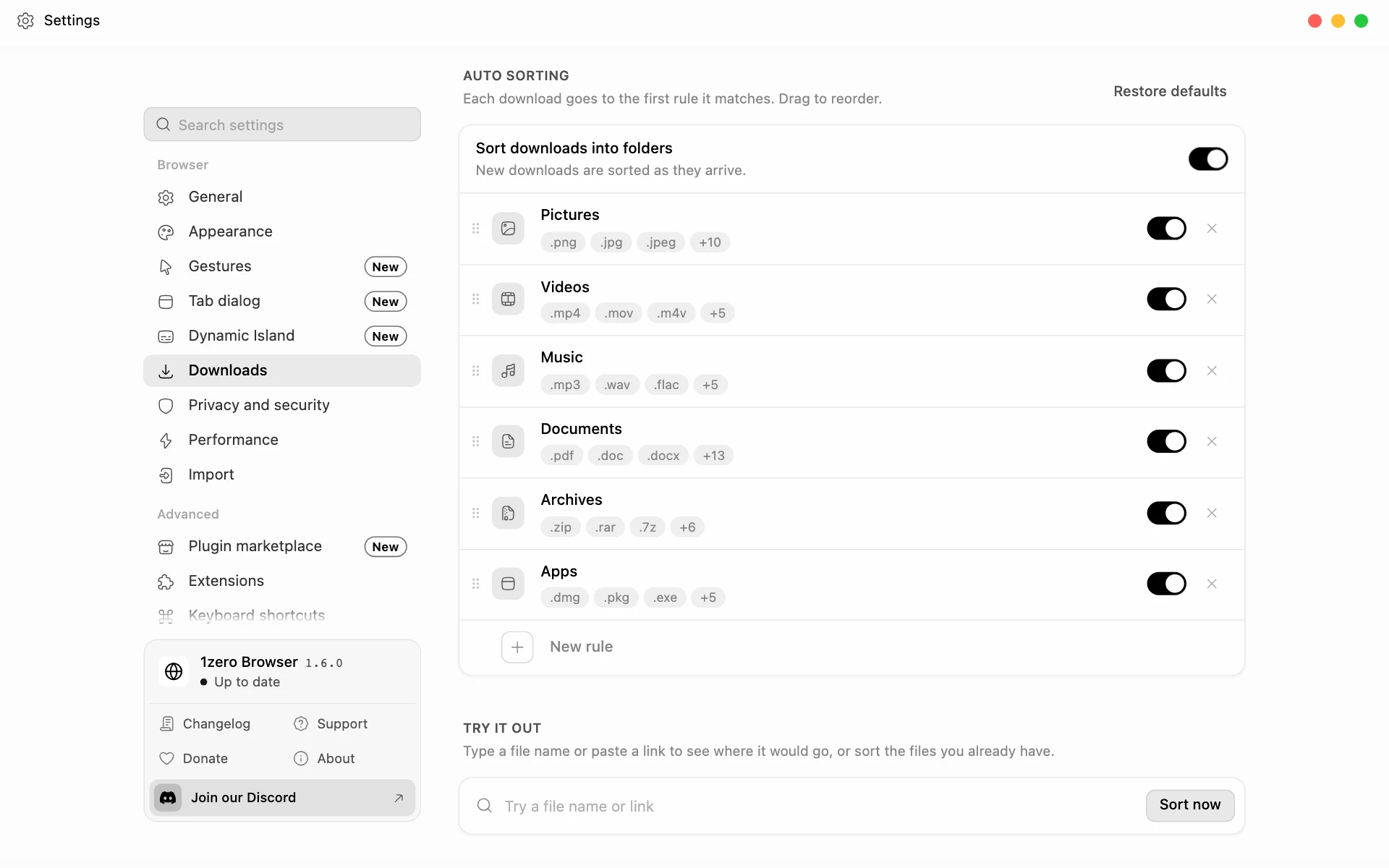
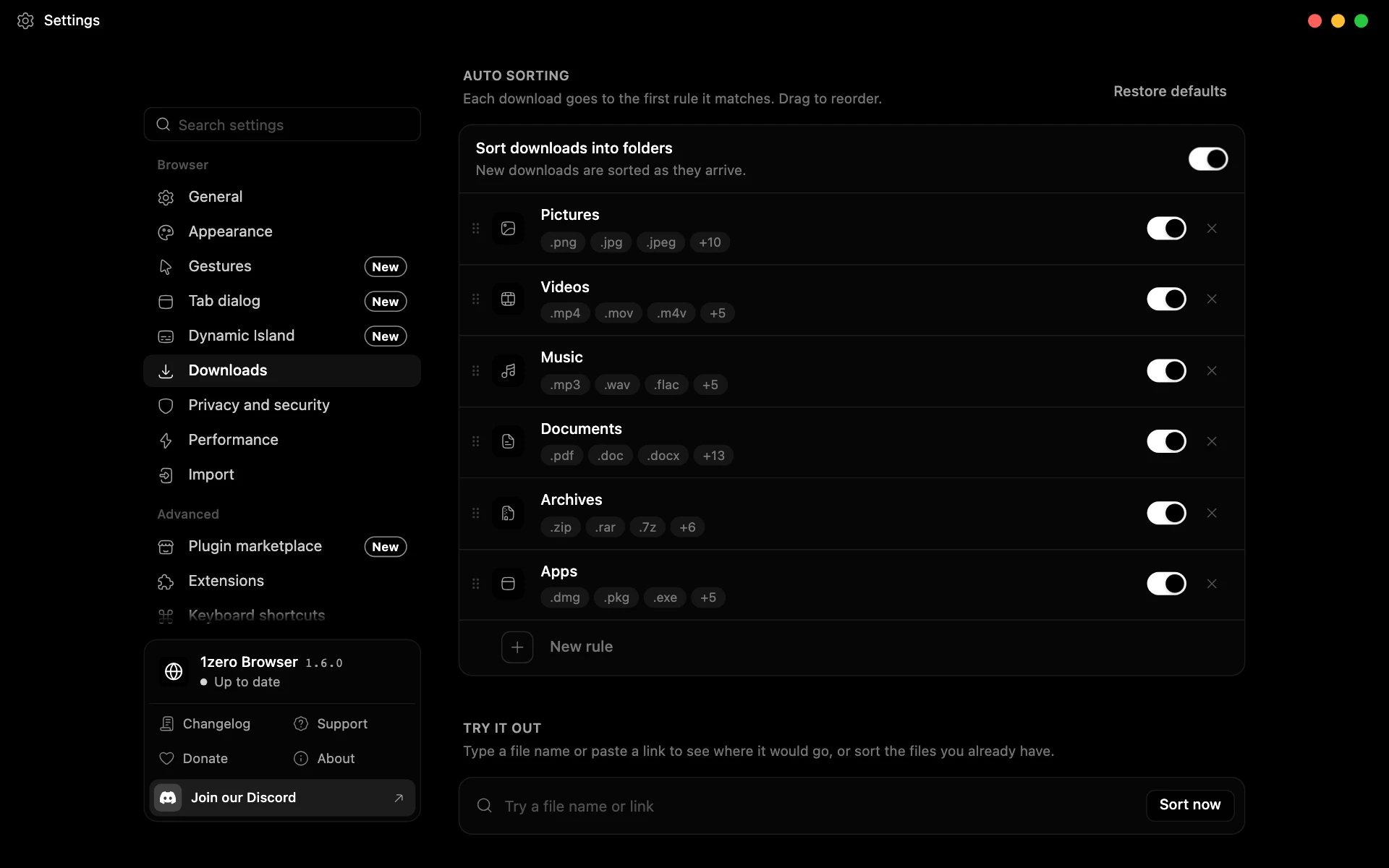
Turn on auto sorting and each download lands in a folder by file type, or by the site it came from.
- Starts with rules for pictures, videos, music, documents, archives, and apps.
- Templates add code, fonts, ebooks, design files, 3D models, and torrents.
- Sort what's already in Downloads with one click.
Bring everything with you
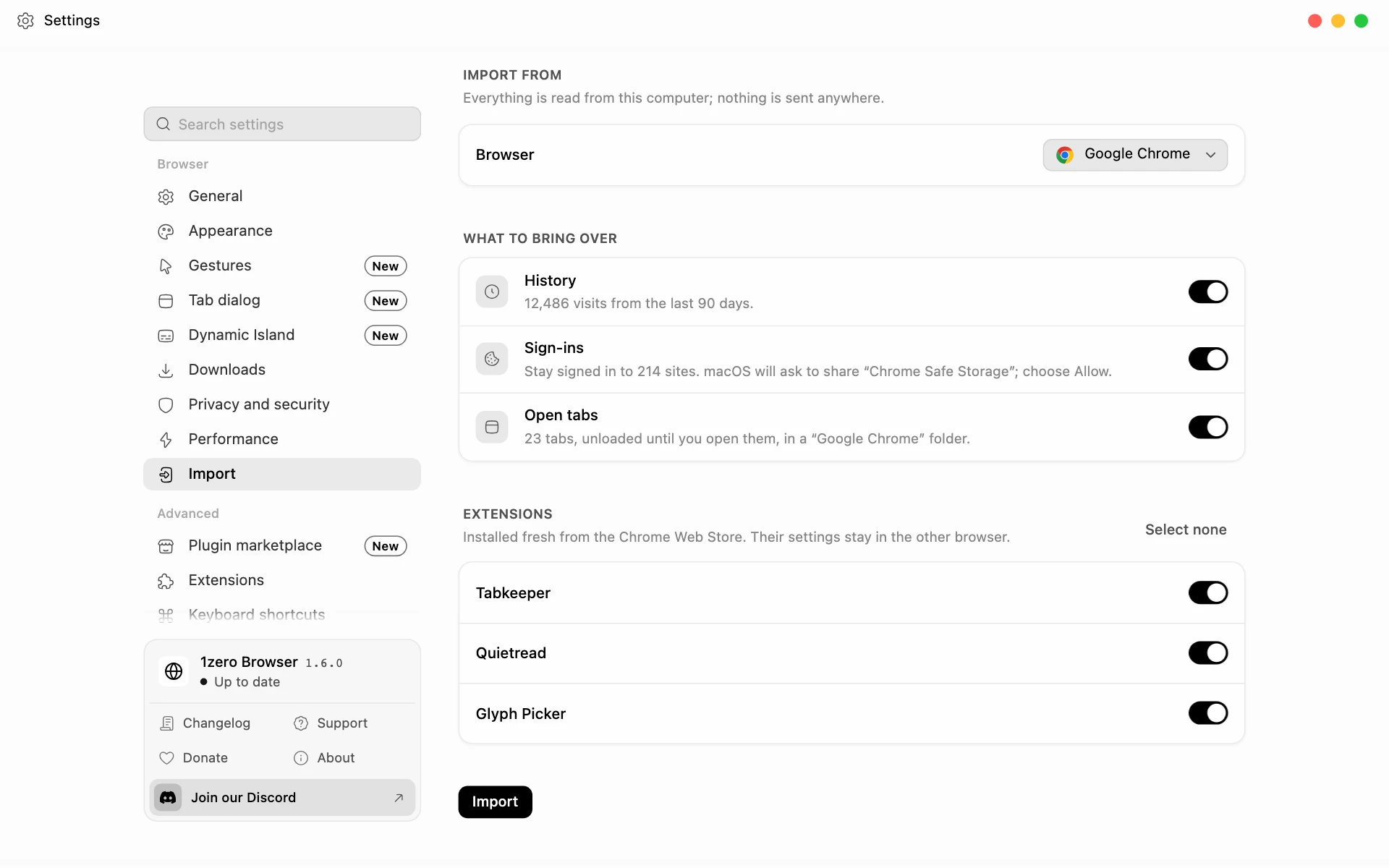
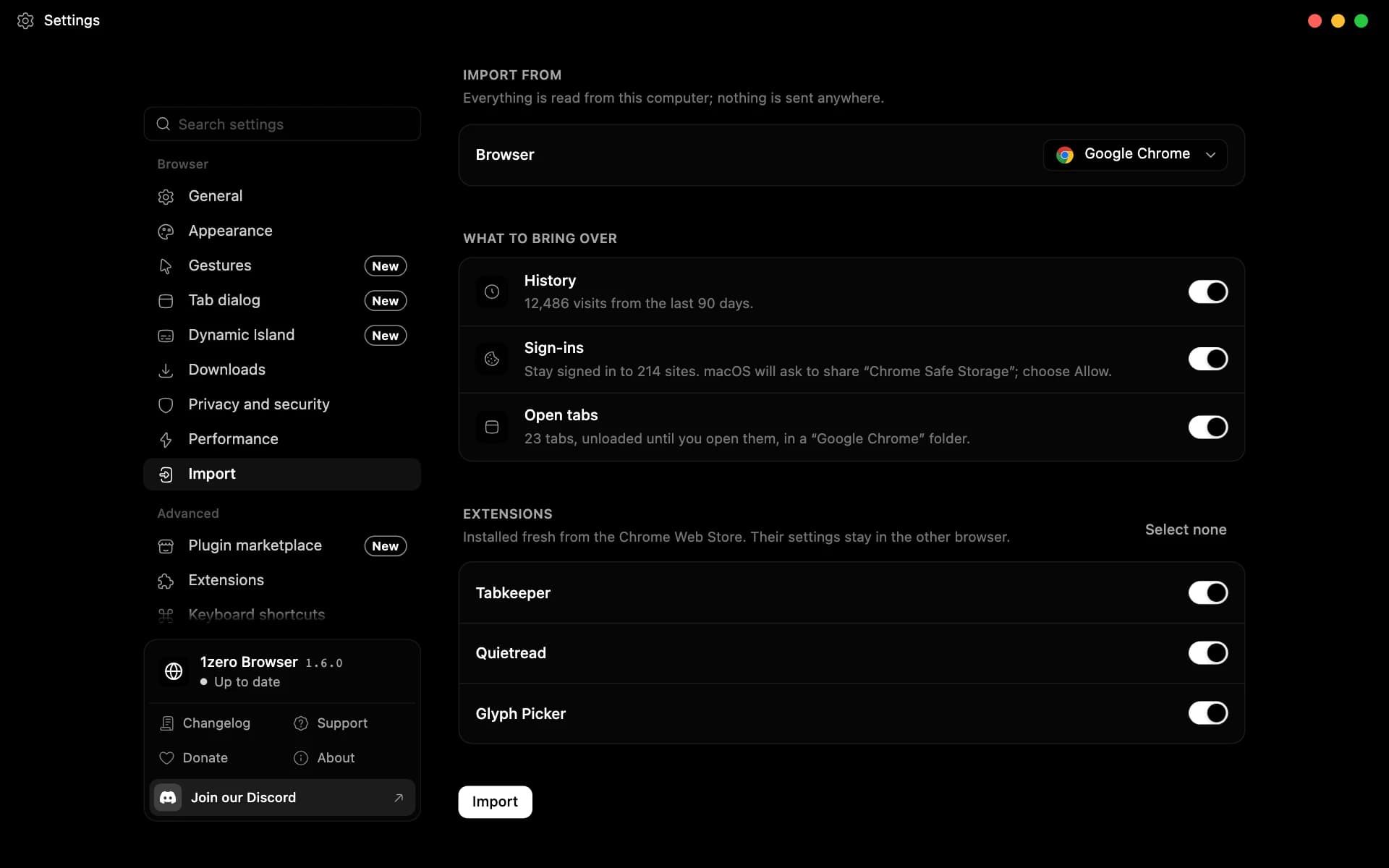
Move over from Chrome, Arc, Firefox, Brave, Edge, and more in a few clicks, and keep the extensions you rely on.
- History, sign-ins, open tabs, and extensions come along. Undo an import in one click.
- Install extensions from the Chrome Web Store, 1Password included.
- Open PDFs, images, videos, and music from your computer, in your theme.
- Sign in with security keys.
More features
Built in, or one click away.
Plugins stay off until you add them from the Plugins page.
- Plugin⌘Ctrl⌥AltF
Focus mode
Block distracting sites until you're done: for a set time, on a weekly schedule, or until you stop. Start one with “focus 45m” in the command center.
- Strict sessions can't be ended early, and restarting the browser doesn't end them.
- Block a whole site or just part of one, like youtube.com/shorts.
- Breaks are capped, three per session unless you change it.
- Built in
Panic button
One shake hides every window, mutes every tab, and opens a safe page. Shake again and everything comes back as you left it.
- Built in
Shake gestures
Shake the pointer to open the command center, or hold ⇧⌘ (Ctrl+Shift on Windows) and shake to close a tab. Set each shake's direction, size, and pace.
- Plugin
Gmail sign-in codes
Codes that sites email you show up in the Dynamic Island seconds after they land. Read-only access, and your mail never reaches 1zero.
- Plugin
Spotify in the island
Music from the Spotify app shows in the Dynamic Island with its cover, and you can play, pause, skip, and seek from there.
- Plugin⌘Ctrl⌥AltB
Privacy mode
Blurs emails, phone numbers, card numbers, IP addresses, and 2FA codes on every page before it's drawn, so you can share your screen without checking first.
- Add your own words and names to the list.
- Hidden text is scrambled too, so even a screenshot shows nothing real.
- Click a blur to reveal it until the page reloads.
- Plugin
Uber Eats and DoorDash
Track an order in a tab and switch away. The island shows the ETA and each step until it arrives, read from the page and sent nowhere.
- Plugin
Discord status
Shows the site you're on, or what's playing on YouTube, Spotify, Netflix, Twitch, and more. Incognito windows never show up.
- Plugin
Stocks
The day's most active stocks and biggest movers on your home page, with charts for the S&P 500, Nasdaq 100, and Dow.
- Built in
Adult sites open in incognito
Known adult sites open in an incognito window, so they never reach your history. The check runs on your computer.
- Built in
Video popup
Keep watching in a floating window while you browse. Switch tabs and a playing video follows you.
- Built in
Tabs that tidy themselves
Off until you turn it on. Tabs you haven't looked at in a while close on their own; pinned tabs and folders stay.
- Built in
Pages that retry
When a page can't load, it tries again by itself, and reloads the moment you're back online.
Why switch
Coming from Chrome?
Keep your extensions and your history. Leave the clutter behind.
Coming from Edge?
Keep your extensions and your history. Leave the news feed behind.
Coming from Safari?
Every Chrome extension, and the same browser on every computer you use.
Coming from Firefox?
Keep your history and stay signed in. Get blocking that covers ads too.
Coming from Arc?
Arc has stopped getting new features. Keep the clean window, your extensions, and your history.
Coming from Brave?
Keep the blocking and your extensions. Leave the wallet and the rewards behind.
Coming from Opera?
Keep your extensions and your history. Leave the sidebar of apps behind.
Coming from Vivaldi?
Keep your extensions and your history, without a settings page to work through first.
Coming from Zen?
Keep the calm and your history. Get Chrome extensions and blocking that covers ads.
Coming from Dia?
Keep your extensions, and take your browser to every computer you use.
Coming from DuckDuckGo?
Keep the protection. Add the Chrome extensions it can't run.
Settings → Import brings over your history, cookies (so you stay signed in), open tabs, and extensions from Chrome.
Settings → Import brings over your history, cookies (so you stay signed in), open tabs, and extensions from Edge.
Settings → Import brings over your history, cookies (so you stay signed in), and open tabs from Firefox. Its add-ons stay behind.
Settings → Import brings over your history, cookies (so you stay signed in), open tabs, and extensions from Arc.
Settings → Import brings over your history, cookies (so you stay signed in), open tabs, and extensions from Brave.
Settings → Import brings over your history, cookies (so you stay signed in), open tabs, and extensions from Opera.
Settings → Import brings over your history, cookies (so you stay signed in), open tabs, and extensions from Vivaldi.
Settings → Import brings over your history, cookies (so you stay signed in), and open tabs from Zen. Its add-ons stay behind.
- Do you collect my data?
- No personal data. The apps send nothing about you beyond what you choose to send us, like a message through the support form. The privacy policy has the details.
- How do you make money?
- For now, we don't. A donations page is in the works, and later on we may offer premium plugins or features.
- Why does macOS or Windows warn me before installing?
- Our apps aren't code-signed yet. We're working on it, but signing takes time and money, so it's going slowly. Until then, here's how to open them:macOSOpen the app once, then go to System Settings → Privacy & Security and choose Open Anyway.WindowsIn the SmartScreen message, choose More info, then Run anyway.


1zero Browser
Get Browser.
Free on macOS, Windows, and Linux, and it keeps itself up to date.
1zero Browser is a desktop app for macOS, Windows, and Linux.